
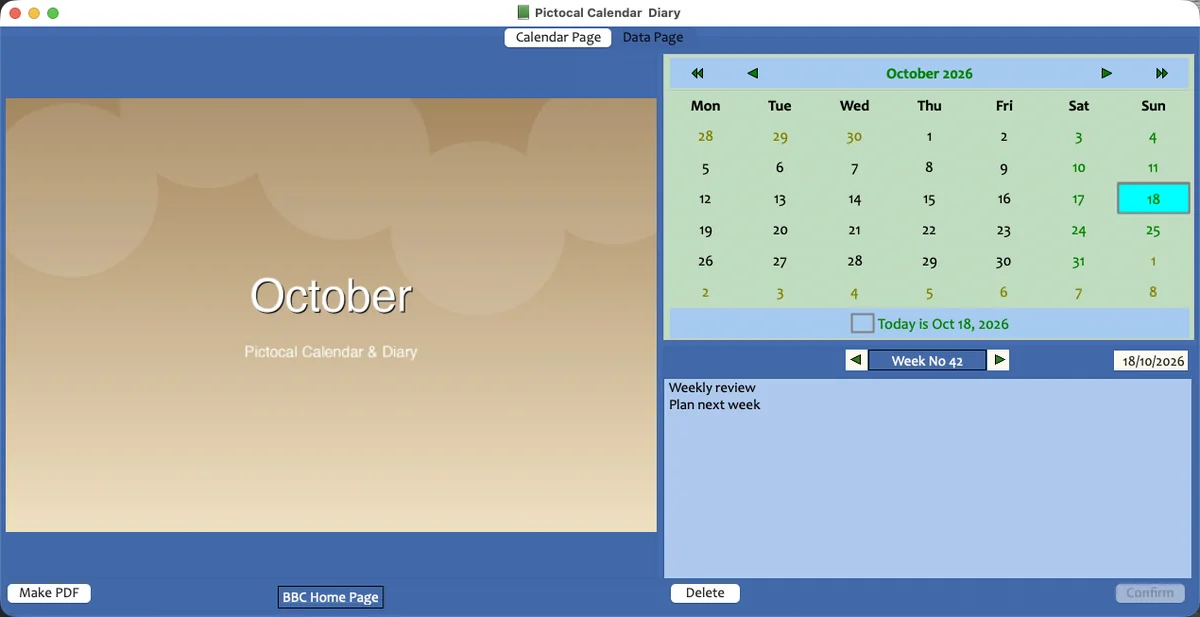
A diary that opens like a notebook
Click a date, type in the blue pane, press Confirm. No setup, no clutter, no learning curve.
A cooler way to keep a diary
Pictocal is a beautifully simple jotter diary and photo calendar for your Mac. Type a thought, drop in a picture, and print a calendar you’ll want to keep.
One-time purchase · No subscription · Your diary stays yours
Why Pictocal
Everything you need to capture a day or make a calendar — and nothing that gets in the way.
Click a date, type in the blue pane, press Confirm. No setup, no clutter, no learning curve.
Drag a JPG, PNG or TIFF onto the month picture. It is saved immediately — no import dialog, no fuss.
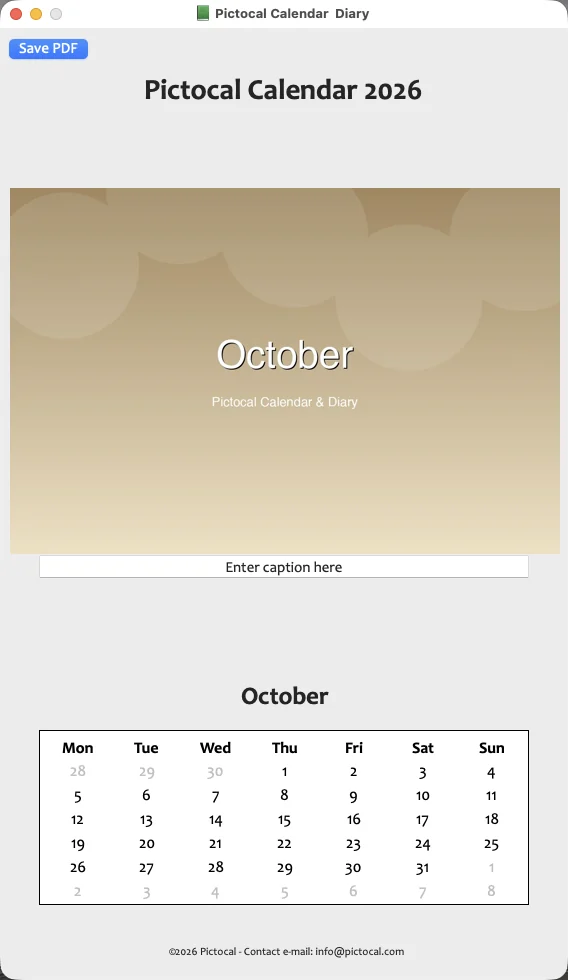
Export a PDF with your picture, a caption and the month grid. Ready to print, frame or give away.
Seven day panes, one per day. The selected day stands out in red; everything else stays simple and readable.
Type a word in Filter. Matching entries appear instantly, with the word highlighted in red.
Select a range of dates, then paste the same text into every selected entry at once. Repetitive days, handled.
Three small steps
No ten-page tutorial. Just a simple gesture, repeated.
Open the app and click any day. Your diary is ready before you are.
Type in the blue pane and press Confirm. That is the whole workflow.
Drop a photo onto the month and export a print-ready PDF calendar.
A look inside
A few pictures are worth a thousand bullet points.
Your data
No account. No ads. No subscription. Your entries live in a local SQLite database — in Dropbox or in your app folder. Updating Pictocal never overwrites them.
Private by default. Yours to keep.
Bilingual
English and French, all the way down to the manuals. Both versions share the same diary, so you can switch whenever you like.
One small price
One PayPal payment. No subscription. No nasty surprises.
Pictocal
£4.95 one-time
Windows and Linux builds available on request.
Good questions
No. Pictocal works offline. Your photos and entries stay on your computer.
In a local SQLite database — in Dropbox/Pictocal SQLite Data or the per-user configuration folder. Updating the app never replaces an existing database.
Yes. Drag a JPG, PNG or TIFF onto the month picture. It is saved straight away.
Yes. Make a PDF with your picture, a caption and the month grid. Print it, frame it or send it to someone.
No. Pictocal is £4.95, paid once.
macOS today. Windows and Linux builds are available on request.
Email us and we’ll send a PayPal invoice. You can pay with a PayPal balance or any card.
Ready when you are
Write today down. Print this month. Keep both.